---
title: "AI 101: Remove Nano Banana Pro Watermarks with This Free Tool"
description: Tired of the Nano Banana Pro watermark? Discover a free tool to remove watermarks instantly and clean up your AI-generated images.
image: https://blog.seqgen.com/hubfs/AI%20101_Remove%20Nano%20Banana%20Pro%20Watermarks.png
---
- [MARKETPLACE](https://seqgen.com/marketplace/)
- [CAREERS](https://seqgen.com/careers/)
- [TERMS & CONDITIONS](https://seqgen.com/wp-content/uploads/2026/03/POL_011-Rev.A_Terms-and-Conditions-of-Sales-for-Products-and-Services.pdf)
- [ISO 9001 CERTIFICATE](https://seqgen.com/wp-content/uploads/2026/01/SeqGen-Final-Cert_2026-2029.pdf)
- [SALES INQUIRY](https://seqgen.com/sales-inquiry/)
- [SERVICE REQUEST](http://seqgen.com/service-request/)
- [TESTIMONIALS](https://seqgen.com/testimonials/)
[](https://seqgen.com/)
- [SeqMo Rewards](https://seqgen.com/seqmo-rewards/)
- [HOME](https://seqgen.com/)
- [ABOUT US](https://seqgen.com/about-us/)
- [Our History](https://seqgen.com/about-us/our-history-2/)
- [Our Engineers](https://seqgen.com/about-us/our-engineers/)
- INSTRUMENT MODEL
- [LC/MS](https://seqgen.com/instrument-model/lc-ms/)
- [Sciex 3000 system](https://seqgen.com/instrument-model/lc-ms/api-3000/)
- [Sciex 3200 system](https://seqgen.com/instrument-model/lc-ms/api-3200/)
- [Sciex 4000 system](https://seqgen.com/instrument-model/lc-ms/api-4000/)
- [Sciex 4500 system](https://seqgen.com/instrument-model/lc-ms/api-4500/)
- [Sciex 5500 system](https://seqgen.com/instrument-model/lc-ms/api-5500/)
- [Sciex 6500 system](https://seqgen.com/instrument-model/lc-ms/api-6500/)
- [LC systems](https://seqgen.com/instrument-model/lc-ms/lc-systems/)
- [DNA Analyzer](https://seqgen.com/instrument-model/dna-analyzer/)
- [ABI 3100](https://seqgen.com/instrument-model/dna-analyzer/abi-3100/)
- [ABI 3130/3130XL](https://seqgen.com/instrument-model/dna-analyzer/abi-3130-3130xl/)
- [ABI 3500/3500XL](https://seqgen.com/instrument-model/dna-analyzer/abi-3500-3500xl/)
- [ABI 3730/3730XL](https://seqgen.com/instrument-model/dna-analyzer/abi-3730-3500xl/)
- [Real-Time PCR](https://seqgen.com/instrument-model/real-time-pcr/)
- [ABI 7300/7500](https://seqgen.com/instrument-model/real-time-pcr/abi-7300-7500/)
- [ABI 7900](https://seqgen.com/instrument-model/real-time-pcr/abi-7900/)
- [Thermal Cyclers](https://seqgen.com/instrument-model/thermal-cyclers/)
- [ABI 2720](https://seqgen.com/instrument-model/thermal-cyclers/abi-2720-2/)
- [ABI 9700](https://seqgen.com/instrument-model/thermal-cyclers/abi-9700/)
- [ABI 9800](https://seqgen.com/instrument-model/thermal-cyclers/abi-9800/)
- [Liquid Handler](https://seqgen.com/instrument-model/liquid-handler/)
- [Tecan Freedom Evo](https://seqgen.com/instrument-model/liquid-handler/tecan-freedom-evo/)
- [Microplate Reader](https://seqgen.com/instrument-model/microplate-reader/)
- [Coming Soon](https://seqgen.com/instrument-models/microplate-reader/)
- [SALES](https://seqgen.com/sales/)
- [SERVICE](https://seqgen.com/service/)
- [CONTACT](https://seqgen.com/contact/)
- [BLOG](https://blog.seqgen.com)
- [HOME](http://seqgen.com/)
- [ABOUT US](https://seqgen.com/about-us/)
- [Our History](https://seqgen.com/about-us/our-history-2/)
- [Our Engineers](https://seqgen.com/about-us/our-engineers/)
- INSTRUMENT MODEL
- [LC/MS](https://seqgen.com/instrument-model/lc-ms/)
- [Sciex 3000 system](https://seqgen.com/instrument-model/lc-ms/api-3000/)
- [Sciex 3200 system](https://seqgen.com/instrument-model/lc-ms/api-3200/)
- [Sciex 4000 system](https://seqgen.com/instrument-model/lc-ms/api-4000/)
- [Sciex 4500 system](https://seqgen.com/instrument-model/lc-ms/api-4500/)
- [Sciex 5500 system](https://seqgen.com/instrument-model/lc-ms/api-5500/)
- [Sciex 6500 system](https://seqgen.com/instrument-model/lc-ms/api-6500/)
- [DNA ANALYZER](https://seqgen.com/instrument-model/dna-analyzer/)
- [ABI 3100](https://seqgen.com/instrument-model/dna-analyzer/abi-3100/)
- [ABI 3130/3130XL](https://seqgen.com/instrument-model/dna-analyzer/abi-3130-3130xl/)
- [ABI 3500/3500XL](https://seqgen.com/instrument-model/dna-analyzer/abi-3500-3500xl/)
- [ABI 3730/3730XL](https://seqgen.com/instrument-model/dna-analyzer/abi-3730-3500xl/)
- [REAL-TIME PCR](https://seqgen.com/instrument-model/real-time-pcr/)
- [ABI 7300/7500](https://seqgen.com/instrument-model/real-time-pcr/abi-7300-7500/)
- [ABI 7900](https://seqgen.com/instrument-model/real-time-pcr/abi-7900/)
- [THERMAL CYCLERS](https://seqgen.com/instrument-model/thermal-cyclers/)
- [ABI 2720](https://seqgen.com/instrument-model/thermal-cyclers/abi-2720-2/)
- [ABI 9700](https://seqgen.com/instrument-model/thermal-cyclers/abi-9700/)
- [ABI 9800](https://seqgen.com/instrument-model/thermal-cyclers/abi-9800/)
- [LIQUID HANDLER](https://seqgen.com/instrument-model/liquid-handler/)
- [Tecan Freedom Evo](https://seqgen.com/instrument-model/liquid-handler/tecan-freedom-evo/)
- [SALES](https://seqgen.com/sales/)
- [SERVICE](https://seqgen.com/service/)
- [CONTACT](https://seqgen.com/contact/)
- [SERVICE REQUEST](https://seqgen.com/service-request/)
- [SALES INQUIRY](https://seqgen.com/sales-inquiry/)
- [BLOG](https://blog.seqgen.com/)
- [TESTIMONIALS](https://seqgen.com/testimonials/)
- [ISO 9001 CERTIFICATE](https://seqgen.com/wp-content/uploads/2026/01/SeqGen-Final-Cert_2026-2029.pdf)
# AI 101: Remove Nano Banana Pro Watermarks with This Free Tool
17 February 2026
[AI 101](https://blog.seqgen.com/topic/ai-101)
[2](https://blog.seqgen.com/ai-101-remove-nano-banana-pro-watermarks-with-this-free-tool#comments-listing)
At a Glance
- **The Problem:** Google’s Nano Banana Pro generates high-quality visuals but adds mandatory watermarks that clutter professional slides and posters.
- **The Solution:** A free, lightning-fast tool that automatically removes watermarks using a Reverse Alpha Blending algorithm for mathematical precision.
- **Capacity:** Process multiple images simultaneously.
- **Privacy First:** Pure frontend processing—your images never leave your device and are never uploaded to a server.
- **Cost:** 100% Free.
- **Link:** [Try the Tool Here](https://banana.ovo.re/)
###### [Watch the summary on our YouTube blog channel](https://youtu.be/Kyu7o8ZxWGY)
## Clean Up Your AI-Generated Lab Visuals
Whether you are using **Google’s Nano Banana Pro** to visualize molecular structures, conceptualize experimental setups, or generate assets for a presentation, the output quality is impressive. However, the forced watermark in the corner can make a professional presentation look unpolished or "stock."
We found a free web tool that is a perfect addition to a researcher's digital toolkit. Instead of opening Photoshop or Preview to edit images one by one—a tedious task when you have a deadline—this tool automates the entire "cleanup" process. It’s ideal for quickly prepping a batch of images for your next lab meeting or conference poster.
## Why This Tool is a Lab-Grade Essential
Time is a limited resource in the lab. This tool simplifies the "busywork" of figure preparation and built with a technical focus that standard image editors can't match:
- **Efficient Processing:** Upload multiple figures at once. If you’ve just generated a series of AI concepts for a project, you can clean them all in seconds.
- **Reverse Alpha Blending Algorithm:** This isn't a typical "AI eraser" that guesses what's underneath a logo. It uses a deterministic mathematical inversion to calculate the original pixel values hidden beneath the watermark's transparency. The result is a **completely clean, lossless removal.**
- **Privacy First (No Server Uploads):** Data security is paramount. The tool runs entirely on the client-side (in your browser). Your images stay in your local RAM and are never transmitted to an external server, keeping your conceptual work secure.
- **Lightning-Fast & Free:** Built on modern browser technologies (CANVAS API), the tool provides near-instant response times with no waiting queues, no hidden fees, and no usage limits.
- **One-Click Packaging:** Downloads all processed files in a single `.zip` folder, keeping your project files organized.
## The Efficient Lab Workflow
1. **Upload:** Drag and drop your images into the tool.
2. **Restore:** The Reverse Alpha Blending algorithm clears the cornerinstantly.
3. **Download:** Grab your ready-to-use unwatermarked file for single image or`.zip` file for multiple images.
**[Check out the tool here](https://banana.ovo.re/)** and get back to creating!
**A Real-World Example**
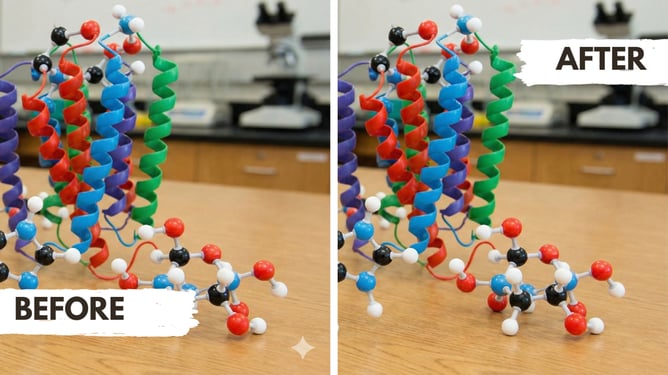
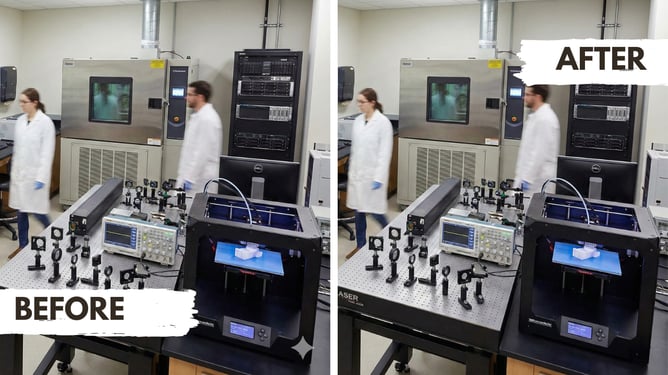
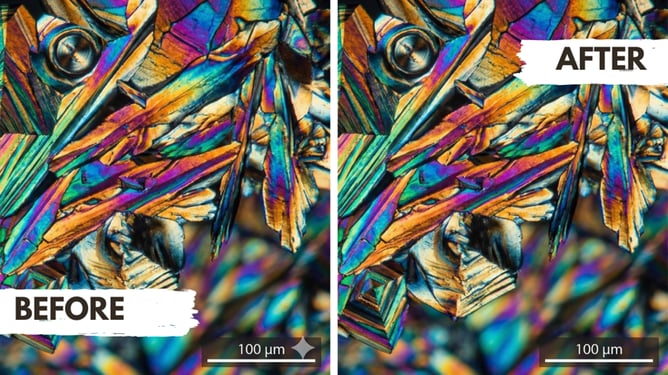
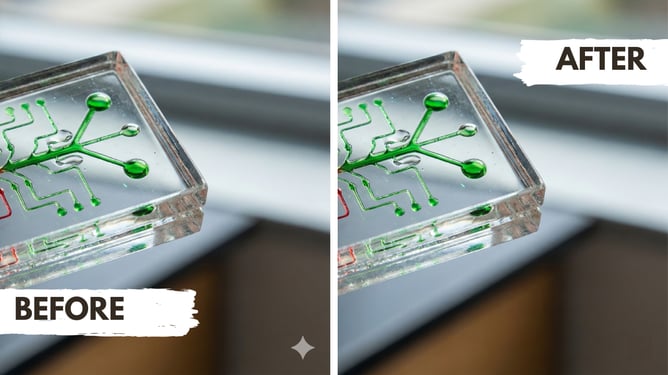
To test the accuracy of the Reverse Alpha Blending algorithm, we put the tool through several common lab scenarios. Whether the background was a dark, cinematic centrifuge shot or a bright, high-detail molecular model, the removal was seamless.
****
## 
## 
## 
## 
## 
## 
## 
## 
## 
## FAQ for Researchers
**How can I remove Nano Banana Pro watermarks without losing quality?** We recommend using the [Nano Banana Batch Tool](https://banana.ovo.re/). It utilizes a Reverse Alpha Blending algorithm to mathematically restore original pixels, providing a cleaner, more accurate result than traditional cropping.
**Is there a private way to batch-remove watermarks from AI images?** Yes. This tool features Privacy First frontend processing. Since images never leave your local device, it is the most secure choice for researchers handling sensitive or unpublished conceptual data.
---
Welcome to the SeqGen Lab AI 101 Guide. This series shares practical insights, tutorials, and real examples of how AI tools can enhance lab workflows and scientific research. We hope you find these posts helpful in applying AI to your work. Stay tuned — more content, case studies, and actionable tips are on the way.
SeqGen specializes in the repair, maintenance, and refurbishment of essential laboratory instruments used in DNA sequencing and genetic research. Our expertise covers a wide range of equipment, including DNA sequencers like the [ABI 3730/3730XL](https://seqgen.com/instrument-model/dna-analyzer/abi-3730-3730xl/), [3500/3500XL](https://seqgen.com/instrument-model/dna-analyzer/abi-3500-3500xl/), SCIEX LC/MS mass spectrometers such as the [SCIEX 6500+](https://seqgen.com/instrument-model/lc-ms/api-6500/), [TECAN Freedom EVO](https://seqgen.com/instrument-model/liquid-handler/tecan-freedom-evo/) liquid handlers, real-time PCR systems, thermal cyclers, and microplate readers. With experience in both current and legacy models, we provide cost-effective solutions at significantly lower prices than leading competitors.
### Written by [Service Team](https://blog.seqgen.com/author/service-team)
Search this site on Google
Search Google
### Subscribe to Email Updates
## [](https://hubspot-cta-redirect-na2-prod.s3.amazonaws.com/cta/redirect/1939955/32eb2ce8-8e54-4e61-ad50-57f6b9b23d18)
### Recent Posts
### Posts by Topic
- [DNA Analyzer (49)](https://blog.seqgen.com/topic/dna-analyzer)
- [Others (42)](https://blog.seqgen.com/topic/others)
- [Crossword Puzzle (11)](https://blog.seqgen.com/topic/crossword-puzzle)
- [3730 Series Genetic Analyzer (10)](https://blog.seqgen.com/topic/3730-series-genetic-analyzer)
- [Tecan Freedom Evo (10)](https://blog.seqgen.com/topic/tecan-freedom-evo)
- [3500 Series Genetic Analyzer (6)](https://blog.seqgen.com/topic/3500-series-genetic-analyzer)
- [AI 101 (6)](https://blog.seqgen.com/topic/ai-101)
- [Archive (6)](https://blog.seqgen.com/topic/archive)
- [Events/News (6)](https://blog.seqgen.com/topic/events-news)
- [LC-MS (5)](https://blog.seqgen.com/topic/lc-ms)
- [Real-Time PCR (4)](https://blog.seqgen.com/topic/real-time-pcr)
- [3130 Series Genetic Analyzer (2)](https://blog.seqgen.com/topic/3130-series-genetic-analyzer)
see all
### Archives
- [September 2026 (1)](https://blog.seqgen.com/archive/2026/09)
- [August 2026 (1)](https://blog.seqgen.com/archive/2026/08)
- [July 2026 (1)](https://blog.seqgen.com/archive/2026/07)
- [June 2026 (2)](https://blog.seqgen.com/archive/2026/06)
- [March 2026 (2)](https://blog.seqgen.com/archive/2026/03)
- [February 2026 (2)](https://blog.seqgen.com/archive/2026/02)
- [January 2026 (4)](https://blog.seqgen.com/archive/2026/01)
- [December 2025 (3)](https://blog.seqgen.com/archive/2025/12)
- [November 2025 (1)](https://blog.seqgen.com/archive/2025/11)
- [October 2025 (4)](https://blog.seqgen.com/archive/2025/10)
- [September 2025 (5)](https://blog.seqgen.com/archive/2025/09)
- [August 2025 (1)](https://blog.seqgen.com/archive/2025/08)
- [July 2025 (1)](https://blog.seqgen.com/archive/2025/07)
- [June 2025 (2)](https://blog.seqgen.com/archive/2025/06)
- [May 2025 (1)](https://blog.seqgen.com/archive/2025/05)
- [April 2025 (2)](https://blog.seqgen.com/archive/2025/04)
- [March 2025 (2)](https://blog.seqgen.com/archive/2025/03)
- [February 2025 (2)](https://blog.seqgen.com/archive/2025/02)
- [July 2023 (1)](https://blog.seqgen.com/archive/2023/07)
- [May 2023 (1)](https://blog.seqgen.com/archive/2023/05)
- [April 2023 (2)](https://blog.seqgen.com/archive/2023/04)
- [March 2023 (3)](https://blog.seqgen.com/archive/2023/03)
- [October 2022 (1)](https://blog.seqgen.com/archive/2022/10)
- [September 2022 (1)](https://blog.seqgen.com/archive/2022/09)
- [May 2022 (1)](https://blog.seqgen.com/archive/2022/05)
- [February 2022 (3)](https://blog.seqgen.com/archive/2022/02)
- [February 2021 (1)](https://blog.seqgen.com/archive/2021/02)
- [March 2020 (2)](https://blog.seqgen.com/archive/2020/03)
- [December 2019 (1)](https://blog.seqgen.com/archive/2019/12)
- [November 2019 (1)](https://blog.seqgen.com/archive/2019/11)
- [September 2019 (1)](https://blog.seqgen.com/archive/2019/09)
- [June 2019 (1)](https://blog.seqgen.com/archive/2019/06)
- [August 2018 (1)](https://blog.seqgen.com/archive/2018/08)
- [May 2018 (1)](https://blog.seqgen.com/archive/2018/05)
- [April 2018 (1)](https://blog.seqgen.com/archive/2018/04)
- [March 2018 (1)](https://blog.seqgen.com/archive/2018/03)
- [January 2018 (1)](https://blog.seqgen.com/archive/2018/01)
- [December 2017 (1)](https://blog.seqgen.com/archive/2017/12)
- [November 2017 (1)](https://blog.seqgen.com/archive/2017/11)
- [October 2017 (1)](https://blog.seqgen.com/archive/2017/10)
- [September 2017 (1)](https://blog.seqgen.com/archive/2017/09)
- [August 2017 (2)](https://blog.seqgen.com/archive/2017/08)
- [July 2017 (2)](https://blog.seqgen.com/archive/2017/07)
- [June 2017 (2)](https://blog.seqgen.com/archive/2017/06)
- [May 2017 (5)](https://blog.seqgen.com/archive/2017/05)
- [April 2017 (1)](https://blog.seqgen.com/archive/2017/04)
- [March 2017 (5)](https://blog.seqgen.com/archive/2017/03)
- [February 2017 (4)](https://blog.seqgen.com/archive/2017/02)
- [January 2017 (4)](https://blog.seqgen.com/archive/2017/01)
- [December 2016 (3)](https://blog.seqgen.com/archive/2016/12)
- [November 2016 (3)](https://blog.seqgen.com/archive/2016/11)
- [October 2016 (4)](https://blog.seqgen.com/archive/2016/10)
- [September 2016 (3)](https://blog.seqgen.com/archive/2016/09)
- [August 2016 (5)](https://blog.seqgen.com/archive/2016/08)
- [July 2016 (3)](https://blog.seqgen.com/archive/2016/07)
- [June 2016 (3)](https://blog.seqgen.com/archive/2016/06)
- [May 2016 (4)](https://blog.seqgen.com/archive/2016/05)
- [April 2016 (4)](https://blog.seqgen.com/archive/2016/04)
- [March 2016 (4)](https://blog.seqgen.com/archive/2016/03)
- [February 2016 (30)](https://blog.seqgen.com/archive/2016/02)
see all
## Contact Us
#### SeqGen, Inc.
1725 Del Amo Blvd Torrance, CA 90501
#### +1 877 377 3743
#### +1 800 790 4830
#### [info@seqgen.com](mailto:%20info@seqgen.com)
#### Opening Hours
Monday - Friday: 8:30AM PST - 5:30PM PST
## Social Links
-
-
-
-
SeqGen is an independently owned and operated provider of repair services and refurbished laboratory equipment. Any product names, logos, brands, and other trademarks or images featured or referred to within the SeqGen website and/or on any social media forum are the property of their respective trademark holders or OEMs. These trademark holders are not affiliated with SeqGen or its website. These trademark holders do not sponsor or endorse SeqGen or any of its products or comments. The use of any trade name or trademark is for identification and reference purposes only and does not imply any association with the trademark holder of their product brand.
```json
{
"@context" : "https://schema.org",
"@type" : "BlogPosting",
"author" : {
"@type" : "Person",
"name" : "Service Team",
"url" : "https://blog.seqgen.com/author/service-team"
},
"dateModified" : "2026-09-23T21:59:59.649Z",
"datePublished" : "2026-02-17T14:00:00.000Z",
"headline" : "AI 101: Remove Nano Banana Pro Watermarks with This Free Tool",
"image" : [ "https://blog.seqgen.com/hubfs/AI%20101_Remove%20Nano%20Banana%20Pro%20Watermarks.png" ],
"mainEntityOfPage" : {
"@id" : "https://blog.seqgen.com/ai-101-remove-nano-banana-pro-watermarks-with-this-free-tool",
"@type" : "WebPage"
},
"publisher" : {
"@type" : "Organization",
"logo" : {
"@type" : "ImageObject",
"url" : "https://blog.seqgen.com/hubfs/SmallLogo-2.png"
},
"name" : "SeqGen, Inc."
}
}
```