
Troubleshooting Tecan EVOware Worktable: Resolving Vanished Labware

08 July 2026

At a Glance: Quick Troubleshooting Summary

  • Instrument: Tecan Freedom EVO 200. 
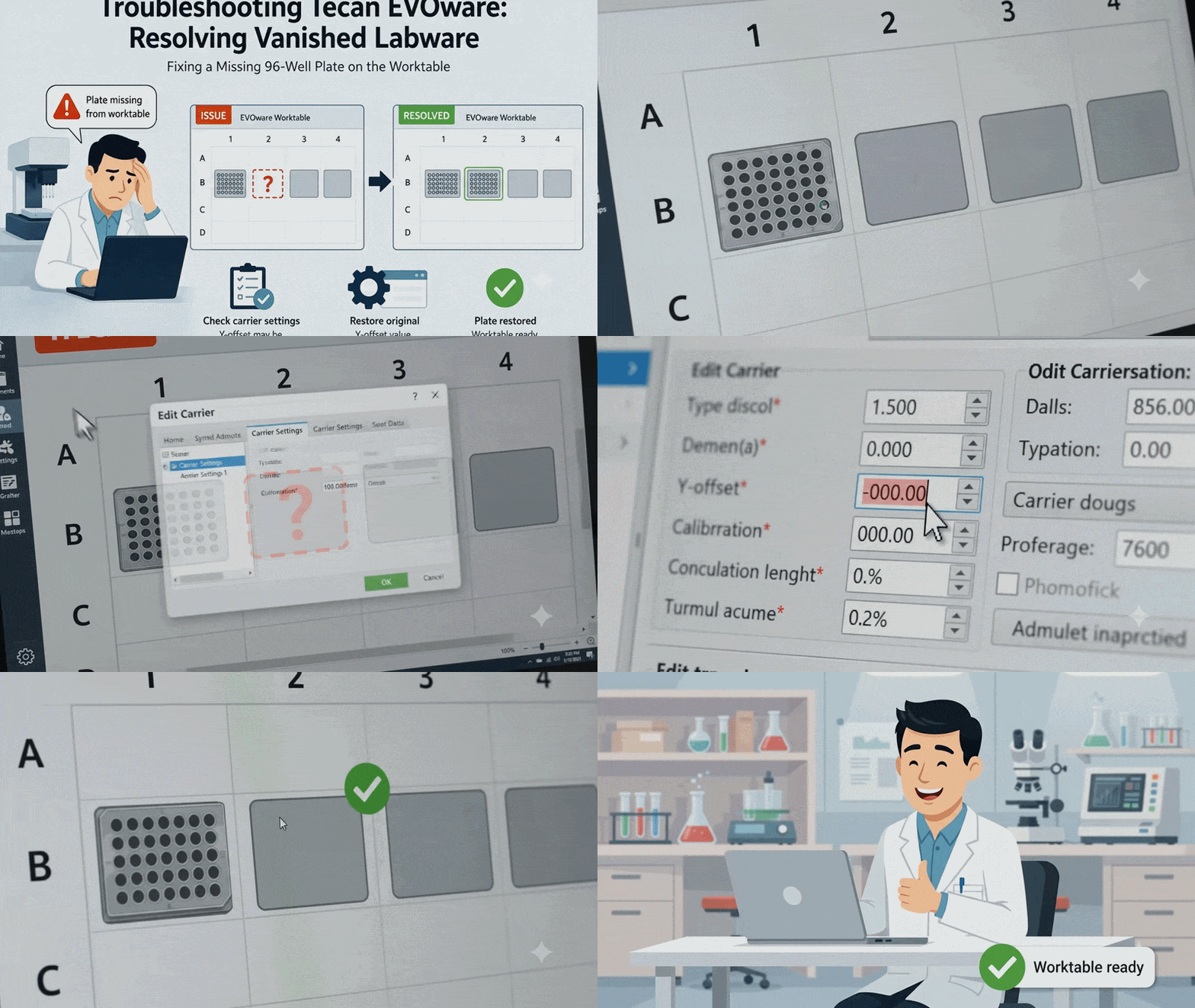
  • Symptom: A 96-well plate on the second carrier site disappears from the graphical worktable layout, and the view cannot be manually edited or restored. 
  • Root Cause: The Y-offset inside the "Edit carrier" settings was accidentally modified, shifting the labware's virtual coordinates entirely outside the viewable worktable grid.  
  • Solution: Open the carrier configuration menu and change the Y-offset for site #2 back to its original calibrated value.

When running liquid handling protocols, encountering an unexpected software glitch can immediately stall your lab's workflow. On automated instruments like the Tecan Freedom EVO 200, keeping a perfectly mapped digital worktable is essential for precise liquid transfers. A missing plate layout on your screen halts your protocol before the run can even begin.

Read More

Subscribe to Email Updates

New Call-to-action 

Recent Posts

SeqGen is an independently owned and operated provider of repair services and refurbished laboratory equipment. Any product names, logos, brands, and other trademarks or images featured or referred to within the SeqGen website and/or on any social media forum are the property of their respective trademark holders or OEMs. These trademark holders are not affiliated with SeqGen or its website. These trademark holders do not sponsor or endorse SeqGen or any of its products or comments. The use of any trade name or trademark is for identification and reference purposes only and does not imply any association with the trademark holder of their product brand.